> For the complete documentation index, see [llms.txt](https://help.tryfreedesk.com/llms.txt). Markdown versions of documentation pages are available by appending `.md` to page URLs; this page is available as [Markdown](https://help.tryfreedesk.com/platform/builder/settings.md).
# Settings
This is the control center for your site's core identity and behavior, the technical and branding details that apply across your entire website, separate from how individual pages look.
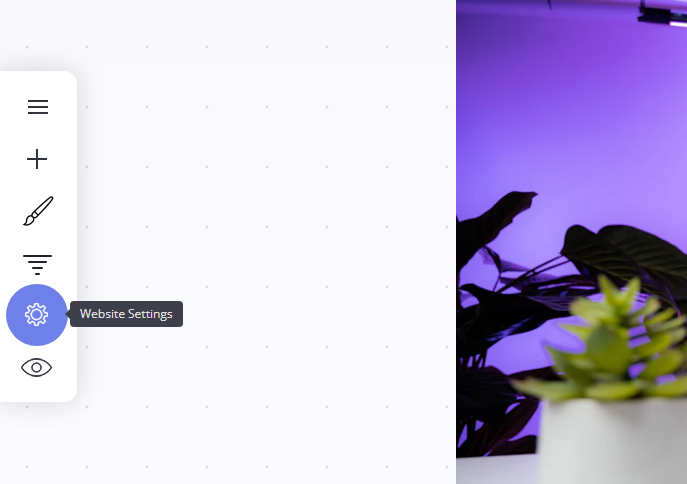
To navigate to the settings panel, select the cog icon in the builder canvas side panel:
#### **Why it matters:**
* **First impressions in the browser**: your Favicon is what visitors see in browser tabs and bookmarks, reinforcing your brand even before they land on a page.
* **Controls how your site looks when shared**: the Social sharing image is what appears when someone shares a link to your site on platforms like Facebook, LinkedIn, or X, if a page doesn't have its own custom image set.
* **Keeps you informed**: Notifications let you stay on top of community activity (mentions, store purchases, etc.).
### **Settings Useful links:**
{% content-ref url="/pages/yjzKZ8gHnxMtgma07IKA" %}
[File Manager](/platform/builder/settings/file-manager.md)
{% endcontent-ref %}
{% content-ref url="/pages/GZ8M1LfwwDcUN9XAYbCN" %}
[Video Manager](/video/getting-started/video-manager.md)
{% endcontent-ref %}
{% content-ref url="/pages/tSVII9tWbQUSXoGJEhlU" %}
[Community Moderation](/community-lms/create-a-community/community-moderation.md)
{% endcontent-ref %}
{% content-ref url="/pages/UO5mShnFljaUXmH4tXYT" %}
[Domain](/platform/builder/settings/domain.md)
{% endcontent-ref %}
{% content-ref url="/pages/YqGWkxXZ5I7uyhZ8GMu6" %}
[Language and Time](/platform/builder/settings/language-and-time.md)
{% endcontent-ref %}
{% content-ref url="/pages/Jh2AZyMrPP5HQmeBfjqQ" %}
[Cookies & Privacy](/platform/builder/settings/cookies-and-privacy.md)
{% endcontent-ref %}
{% content-ref url="/pages/gVqBxI9uLzJTSSNYibbO" %}
[System Emails](/platform/system-emails.md)
{% endcontent-ref %}
---
# Agent Instructions
This documentation is published with GitBook. GitBook is the documentation platform designed so that both humans and AI agents can read, navigate, and reason over technical content effectively. Learn more at gitbook.com.
## Querying This Documentation
If you need additional information that is not directly available in this page, you can query the documentation dynamically by asking a question.
Perform an HTTP GET request on the current page URL with the `ask` query parameter, and the optional `goal` query parameter:
```
GET https://help.tryfreedesk.com/platform/builder/settings.md?ask=&goal=
```
`ask` is the immediate question: it should be specific, self-contained, and written in natural language.
`goal` is optional and describes the broader end goal you are ultimately trying to accomplish on behalf of the user. GitBook uses it to tailor the answer towards what is most useful for that goal.
The response will contain a direct answer to the question and relevant excerpts and sources from the documentation.
Use this mechanism when the answer is not explicitly present in the current page, you need clarification or additional context, or you want to retrieve related documentation sections.